Description
Bring modern gaming progression to your Counter-Strike 1.6 server with the Battle Pass System — a fully-featured seasonal battle pass inspired by popular titles like Fortnite and Valorant.
The plugin provides a complete seasonal progression system with configurable tiers, XP-based advancement, daily and weekly missions, and a rich variety of rewards. Players earn XP through gameplay — kills, headshots, bomb plants, clutches, and much more — and unlock tier rewards as they progress through the pass.
Everything is rendered through a beautiful MOTD-based UI that shows missions, progress bars, tier rewards, and season info. The system supports 20+ languages out of the box, uses nVault or SQLite for storage, and seamlessly integrates with other Tornado plugins like Rank System Ultimate, Weapons Skins Ultimate, and Player Models Pro.
Seasons transition automatically with configurable start dates and duration. Between seasons, there's a gap period where progression freezes, building anticipation for the next season. Player cosmetics (chat tags) persist across seasons, giving long-term value to their progression.
Core Features
Seasonal Tiers
Configurable tier count (default 40) with progressive XP requirements. Formula: BASE_XP + (TIER × INCREMENT). Rewards are cumulative — all rewards up to your current tier stack.
25+ Mission Types
Kills, headshots, knife/grenade/pistol/shotgun/sniper kills, bomb plant/defuse/explode, assists, round wins, survival, multi-kills, aces, revenge kills, first blood, kill streaks, hostage rescue, clutches, playtime, money spent/saved, and more.
Daily & Weekly Missions
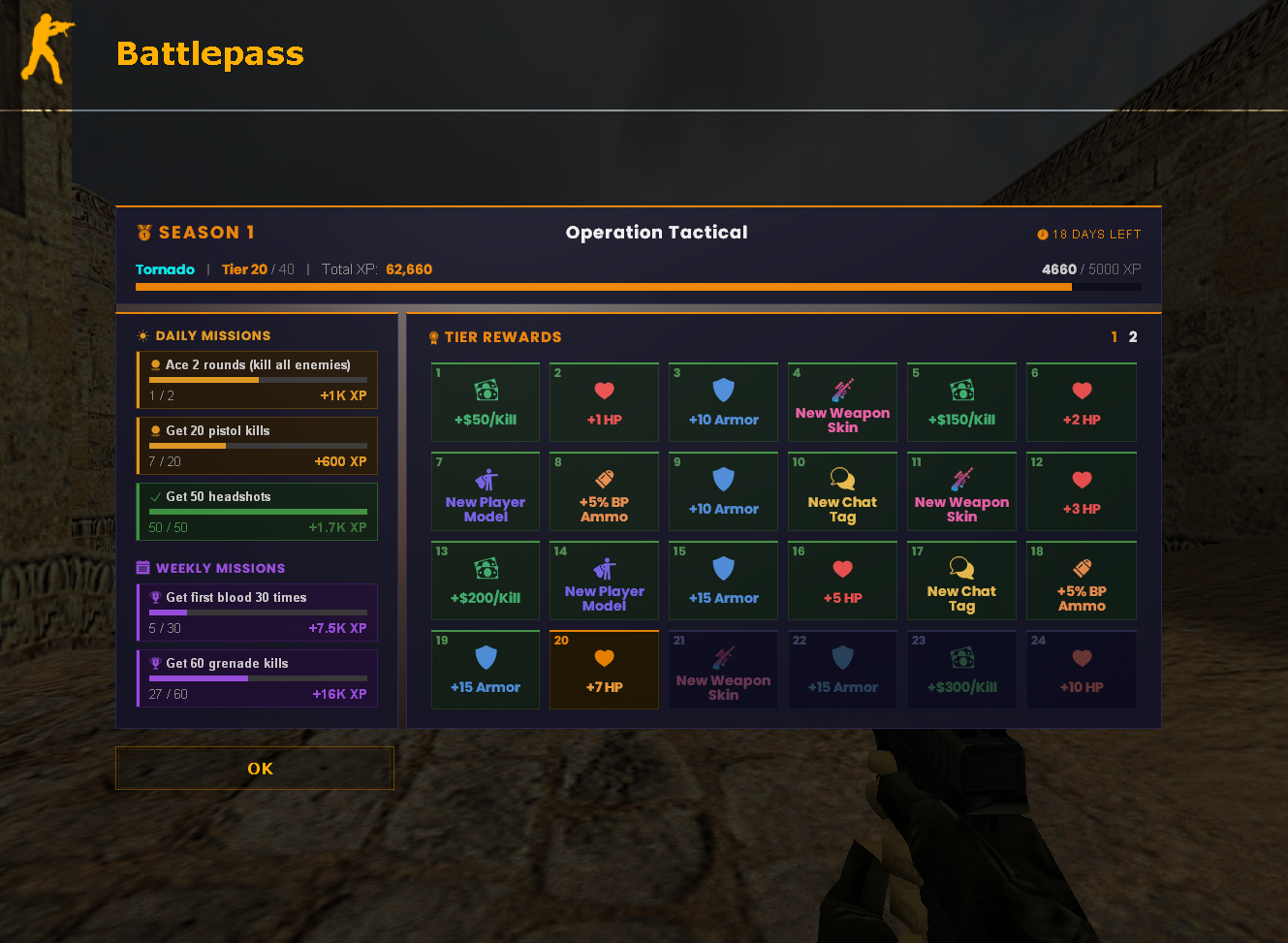
3 random daily missions and 2 random weekly missions drawn from large configurable pools. Missions reset automatically on schedule, keeping gameplay fresh.
Many Reward Types
Money, HP, armor, grenade packs, weapons, admin flags, speed/gravity/damage multipliers, XP multipliers, skins, models, double jump, bonus ammo, fall damage reduction, respawn tokens, chat tags, kill bonus money, and silent steps.
MOTD-Based UI
Beautiful web-based interface rendered via MOTD showing mission progress, tier rewards, season countdown, and XP bars. Accessible in-game at any time.
20+ Languages
English, Bulgarian, German, Serbian, Turkish, French, Swedish, Danish, Polish, Dutch, Spanish, Brazilian Portuguese, Czech, Finnish, Romanian, Hungarian, Lithuanian, Slovak, Macedonian, Croatian, Bosnian, Russian, Chinese, Albanian, Portuguese, and more.
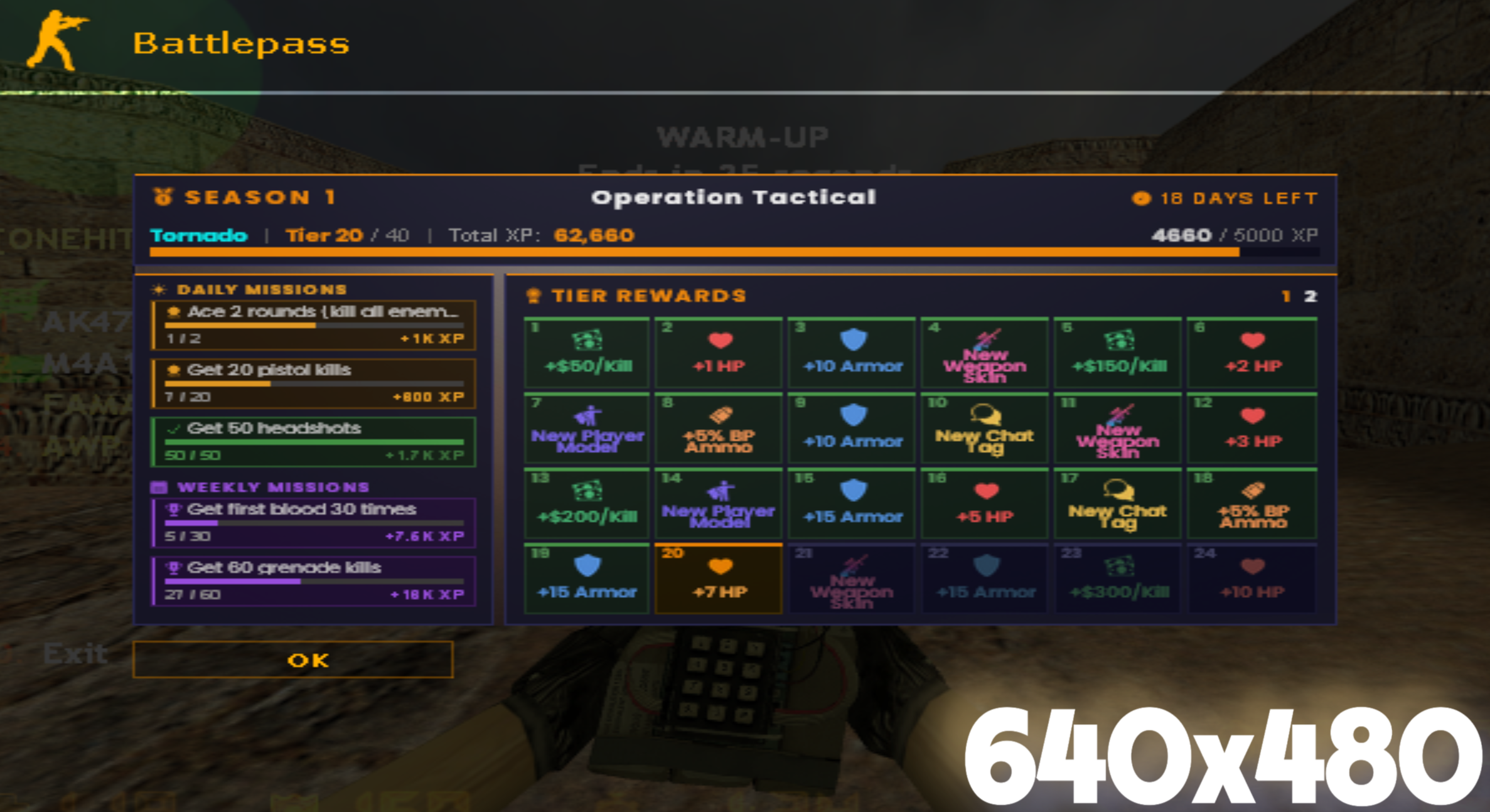
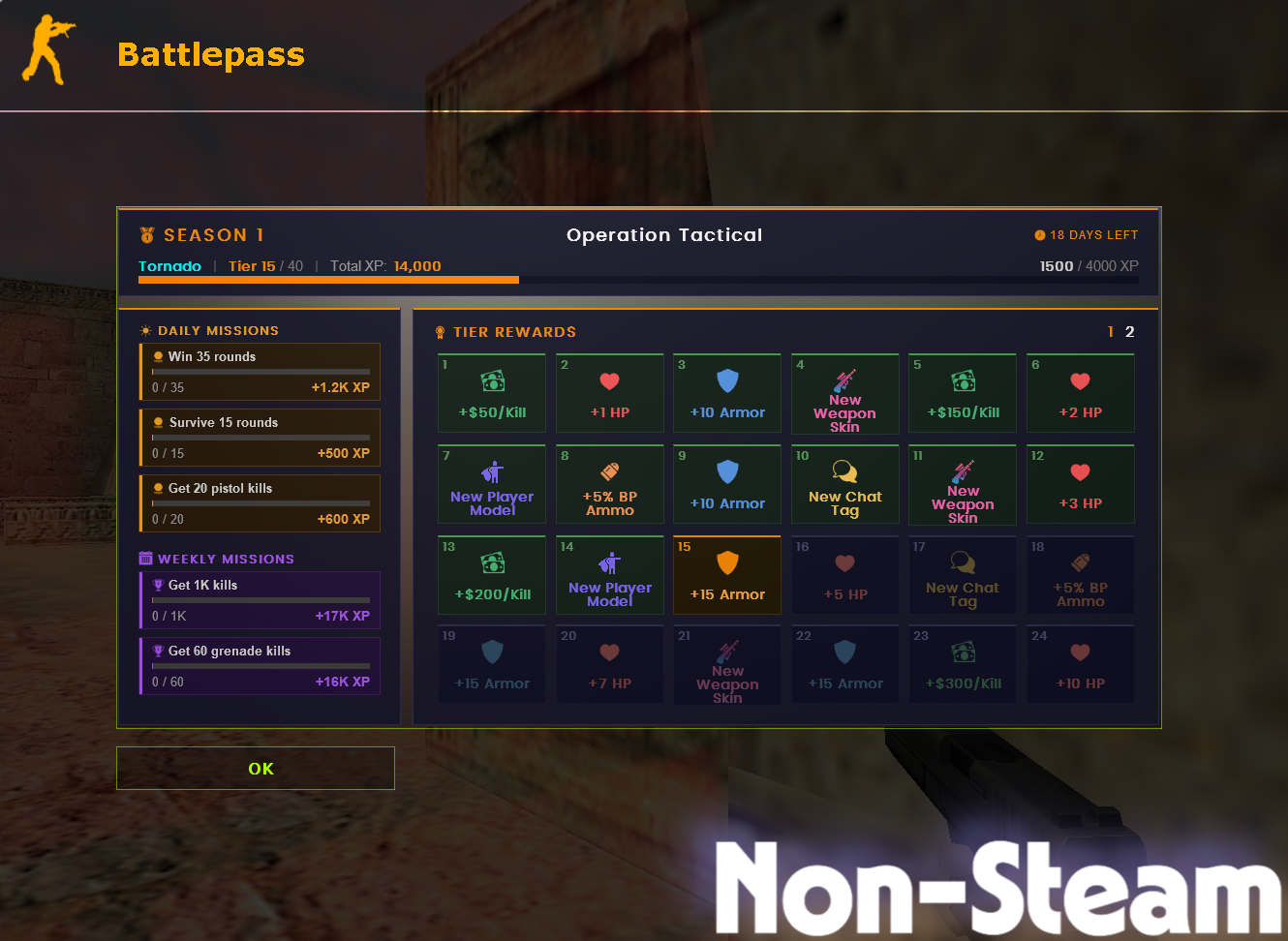
Here's how the MOTD looks across different screen resolutions and client types:
Seasons
The battle pass operates on a seasonal cycle. Each season has its own configuration folder with unique settings, missions, and tier rewards.

Missions
Missions are the primary way players earn XP to progress through the battle pass. There are daily missions (3 random per day) and weekly missions (2 random per week), drawn from large configurable pools.
Rewards
Each tier can grant one or more rewards. Rewards are cumulative — players receive all rewards from tier 1 up to their current tier. The system supports 20 different reward types.

Economy Rewards
- Bonus money on spawn
- Kill bonus money multiplier
- Money spent/saved tracking
Combat Rewards
- Extra HP and armor
- Damage multiplier
- Grenade packs
- Weapon loadouts
- Bonus ammo percentage
Ability Rewards
- Speed/gravity modifiers
- Double jump
- Fall damage reduction
- Silent steps
- Respawn tokens
Cosmetic Rewards
- Chat tags (via CrxChatManager)
- Skin markers (via Weapons Skins Ultimate)
- Model markers (via Player Models Pro)
- XP multipliers (via Rank System Ultimate)
- Admin flags
- Custom tier cards (via sub-plugins)
Cosmetics & Tags
Chat tags earned through the battle pass persist across seasons. Players can select their active tag via the /bptags menu. Cosmetic data is stored separately from season data, ensuring long-term value.
Player Stats
The /bpstats command opens a menu listing all players currently on the server. Selecting a player displays their battle pass stats including current tier, XP progress, completed missions, and season history.
Leaderboard
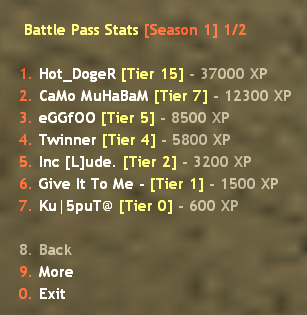
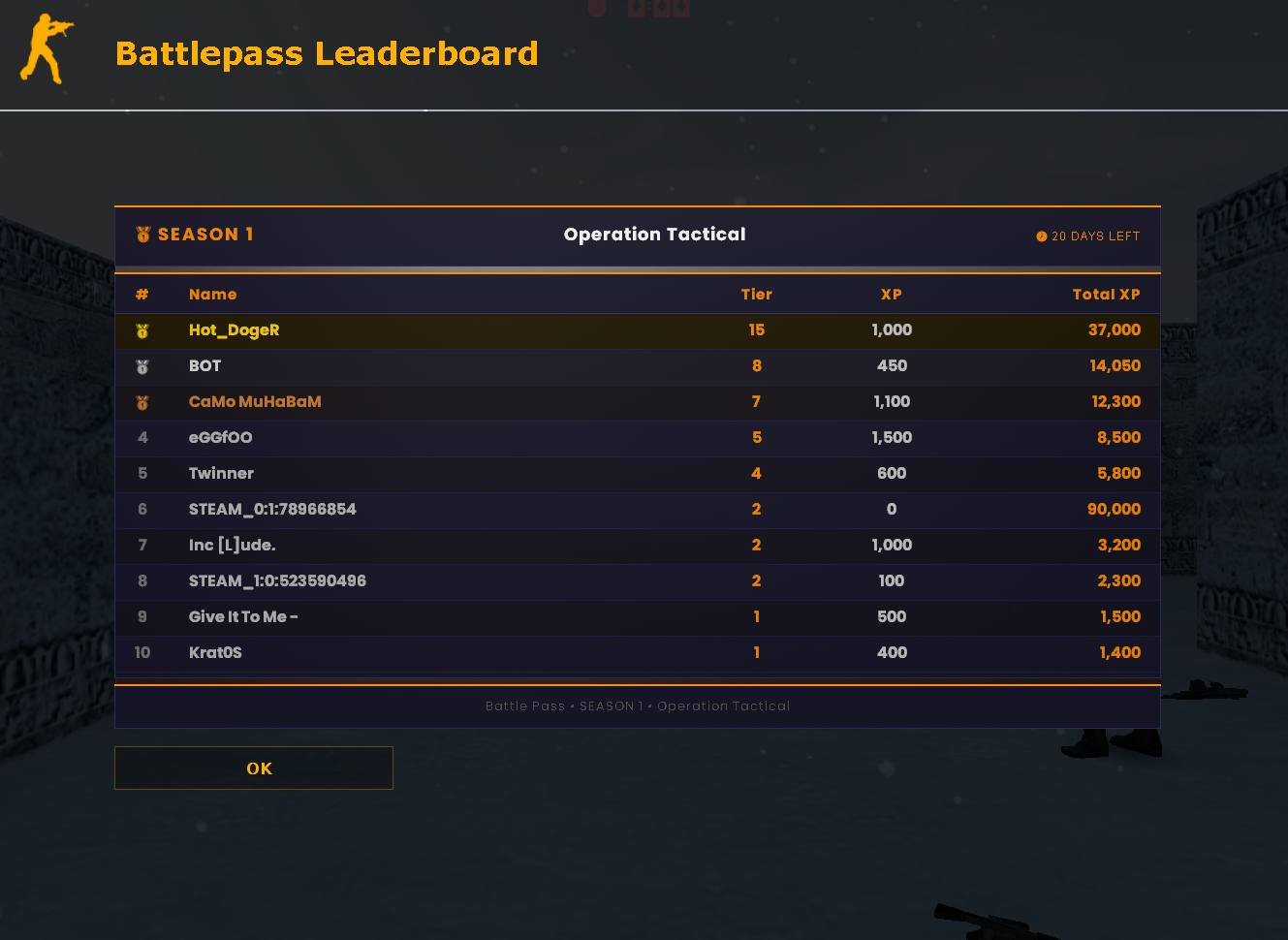
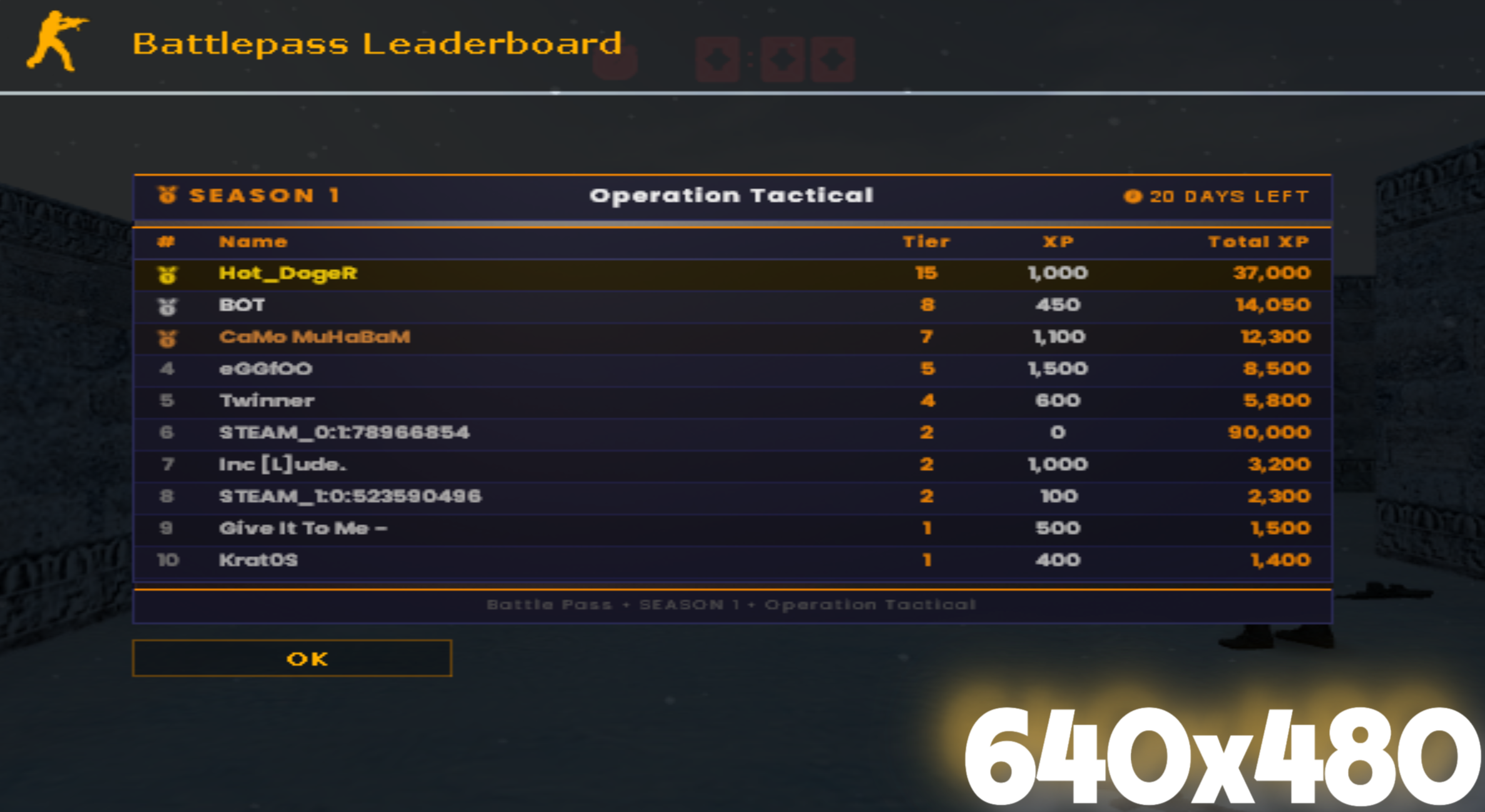
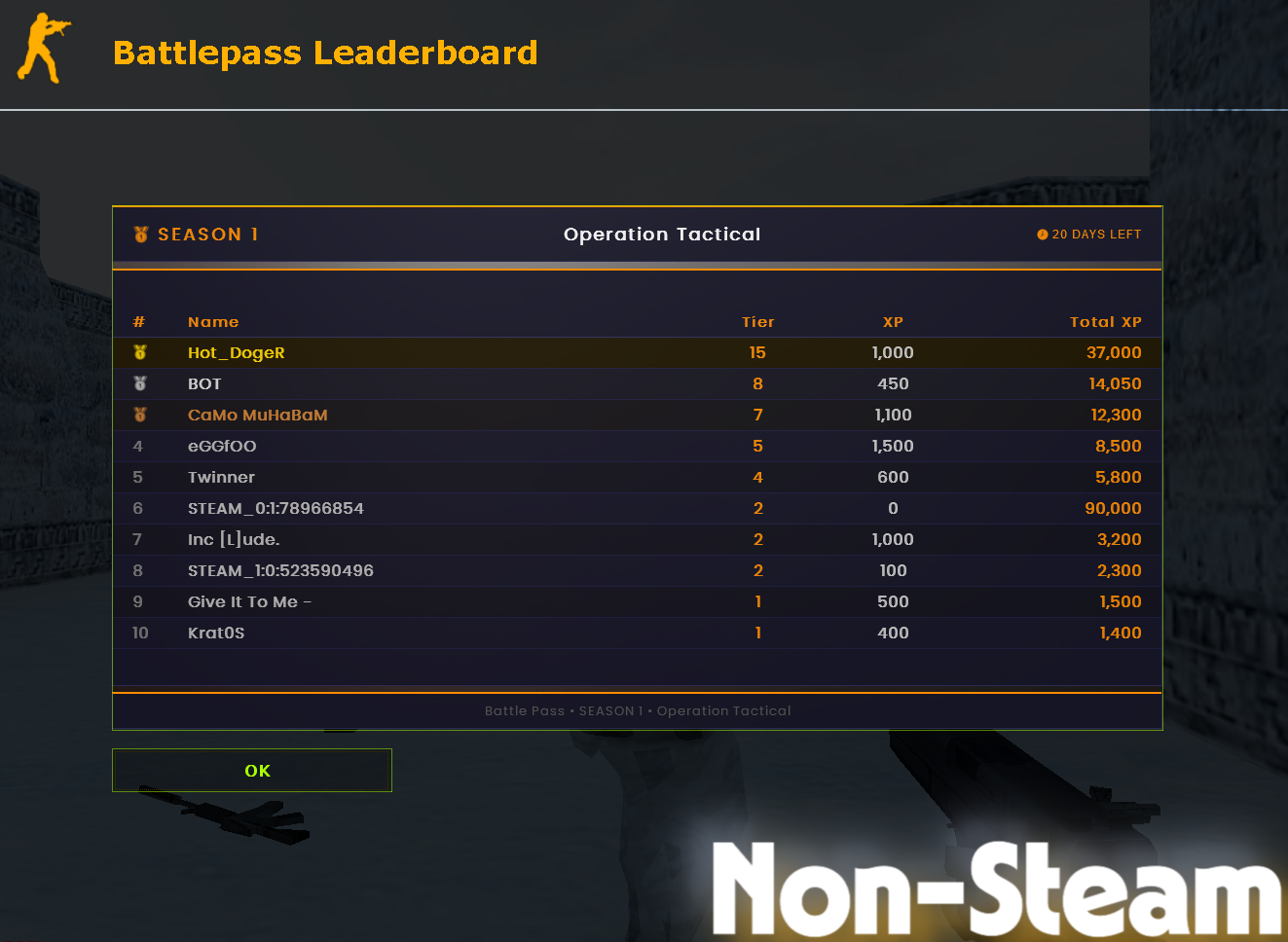
The /bpl command opens a live leaderboard MOTD showing the top 15 players by total XP. The leaderboard is stored in a separate SQLite database and syncs automatically when players connect. It works regardless of whether your main storage is nvault or SQLite.
Here's how the leaderboard MOTD looks across different screen resolutions and client types:
Global Settings
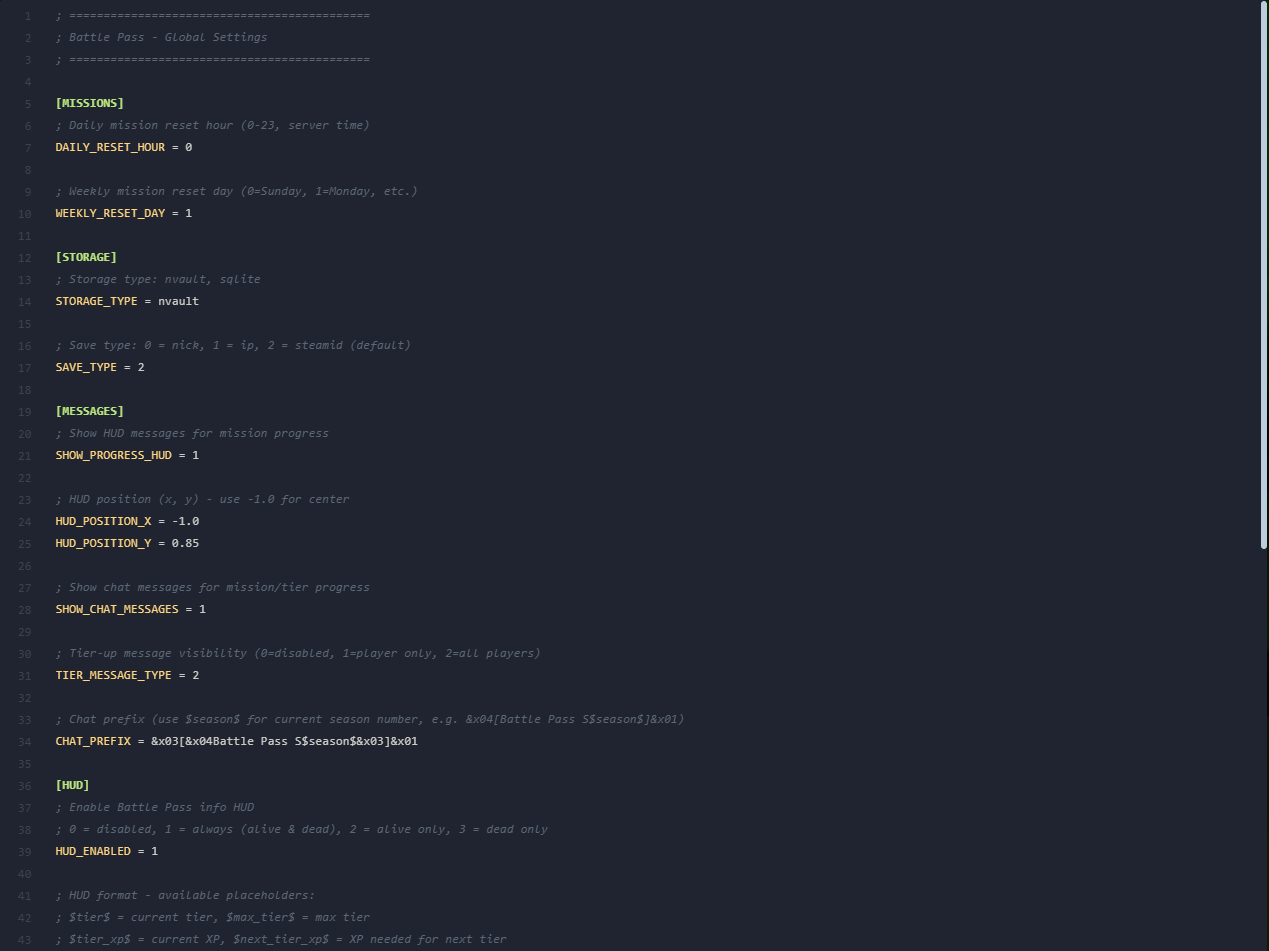
The global settings.ini file controls server-wide battle pass behavior. Located in configs/battlepass/settings.ini.
[MISSIONS]
Daily mission reset hour (0-23, server time). Missions reset at this hour each day.
Weekly mission reset day. 0 = Sunday, 1 = Monday, 2 = Tuesday, etc.
[STORAGE]
Storage backend. Supported values: nvault (default) or sqlite.
Player identification method. 0 = nickname, 1 = IP address, 2 = SteamID (recommended).
Restrict Battle Pass access to players with specific admin flags. Leave empty for no restriction (all players). Example: a or bm.
How bots interact with the ranking system. 0 = bots fully excluded (default), 1 = bots are ranked like normal players, 2 = players gain XP from killing bots but bots themselves don't earn anything.
[MESSAGES]
Show HUD messages for mission progress updates (0 = off, 1 = on).
X coordinate for mission progress HUD. Use -1.0 for center.
Y coordinate for mission progress HUD.
Show chat messages on mission/tier progress (0 = off, 1 = on).
Tier-up message visibility. 0 = disabled, 1 = player only, 2 = all players.
Chat prefix for all Battle Pass messages. Use $season$ for the current season number. Supports color codes (&x01-&x04).
HUD & Placeholders
The Battle Pass HUD displays real-time tier and XP information on-screen. Configured in the [HUD] section of settings.ini.

[HUD] Settings
Enable the Battle Pass info HUD. 0 = disabled, 1 = always (alive & dead), 2 = alive only, 3 = dead only.
HUD format string. See available placeholders below. Use \n for new lines.
HUD format displayed when the player has reached the maximum tier.
HUD text color in R, G, B format (0-255 each).
HUD X position on screen. Use -1.0 for center.
HUD Y position on screen (0.0 = top, 1.0 = bottom).
Available HUD Placeholders
Commands
All player commands are fully configurable in the [COMMANDS] section of settings.ini. You can add multiple commands separated by commas.
[COMMANDS]
Opens the main Battle Pass menu (MOTD).
Displays the player's current tier and XP progress in chat.
Opens a menu listing all server players to view their battle pass stats.
Toggles the Battle Pass HUD display on/off for the player.
Opens the Chat Tags selection menu. Players can select from tags they've earned through the battle pass.
Opens the leaderboard MOTD showing the top 15 players by total XP.
Season Configuration
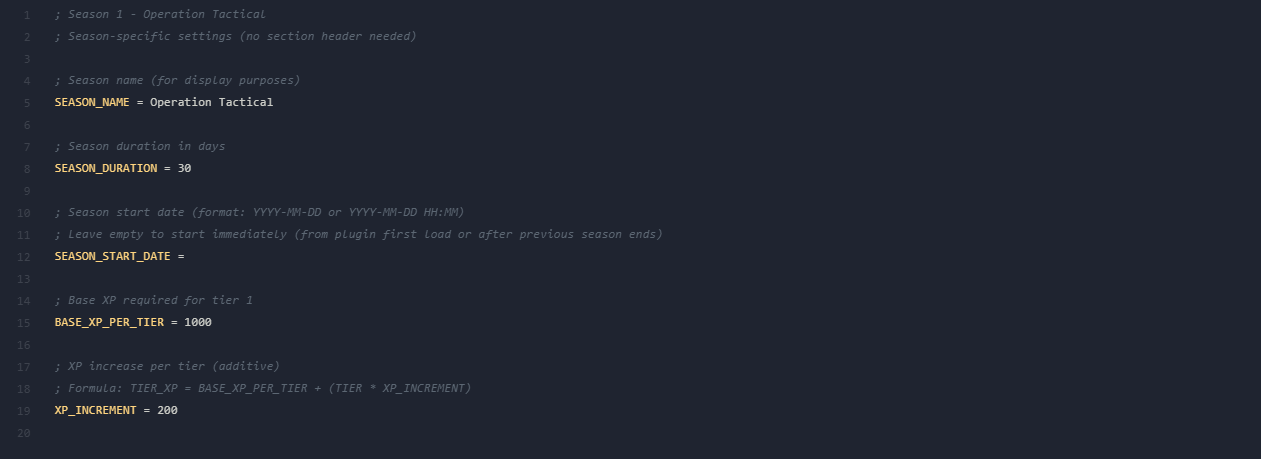
Each season has its own folder (Season_1/, Season_2/, etc.) containing four configuration files. Season folders are just examples — you can create as many as you want.
settings.ini (per season)
Display name for the season, shown in HUD and MOTD.
Season duration in days.
Start date in YYYY-MM-DD or YYYY-MM-DD HH:MM format. Leave empty to start immediately after the previous season ends.
Base XP required for the first tier.
Additional XP added per tier. Formula: TIER_XP = BASE_XP_PER_TIER + (TIER × XP_INCREMENT)
Tier Rewards
Rewards are defined in tier_rewards.ini inside each season folder. Format: TIER = REWARD_TYPE REWARD_VALUE
All Reward Types
Give in-game money on spawn.
Bonus HP added to base 100 on spawn.
Bonus armor added on spawn.
Full grenade set on spawn (HE + 2 Flash + Smoke).
Give a weapon on spawn (e.g. ak47, m4a1, awp, deagle).
Grant admin flags to the player (e.g. bm, a). Optional expiry date in DD/MM/YYYY format — flags are automatically removed after this date. Omit for permanent flags.
Movement speed multiplier (e.g. 1.15 = +15% speed).
Gravity multiplier (e.g. 0.8 = -20% gravity).
Damage multiplier (e.g. 1.10 = +10% damage).
XP gain multiplier. Requires Rank System Ultimate.
Visual-only tier marker for weapon skins. Used with Weapons Skins Ultimate.
Visual-only tier marker for player models. Used with Player Models Pro.
Enable double jump ability.
Extra backpack ammo percentage on spawn.
Reduce fall damage. 0.5 = 50% reduction, 1.0 = no fall damage.
Auto-respawn on death, up to N times per round.
Set a persistent chat prefix via CrxChatManager. Tags survive season resets.
Extra money given per kill.
Silent footsteps — no footstep sounds.
Custom tier card for external sub-plugins. Displayed as-is in the MOTD with a custom label, color, and optional icon image URL. The text must be enclosed in quotes.
Example tier_rewards.ini
; ========== Tier 1-10: Starter Rewards ==========
1 = MONEY 500
2 = ARMOR 25
3 = HP 5
4 = KILL_BONUS_MONEY 25
5 = SKIN
6 = MONEY 800
7 = GRENADE_PACK
8 = FALL_DMG_REDUCE 0.25
9 = ARMOR 25
10 = HP 5

; ========== Tier 11-20: Intermediate ==========
11 = MONEY 1000
12 = BONUS_AMMO_PCT 10
13 = KILL_BONUS_MONEY 50
14 = MODEL
15 = XP_MULT 1.15
16 = HP 5
17 = FALL_DMG_REDUCE 0.50
18 = ARMOR 50
19 = SKIN
20 = MONEY 1500

; ========== Tier 21-30: Advanced ==========
21 = KILL_BONUS_MONEY 75
22 = HP 5
23 = BONUS_AMMO_PCT 20
24 = MODEL
25 = MONEY 2000
26 = FALL_DMG_REDUCE 0.75
27 = ARMOR 50
28 = SKIN
29 = HP 10
30 = XP_MULT 1.30

; ========== Tier 31-40: Elite ==========
31 = MONEY 2500
32 = KILL_BONUS_MONEY 100
33 = BONUS_AMMO_PCT 30
34 = HP 10
35 = FALL_DMG_REDUCE 1.0
36 = MODEL
37 = CHAT_TAG [ELITE]
38 = MONEY 3000
39 = RESPAWN_TOKEN 1
40 = FLAG bm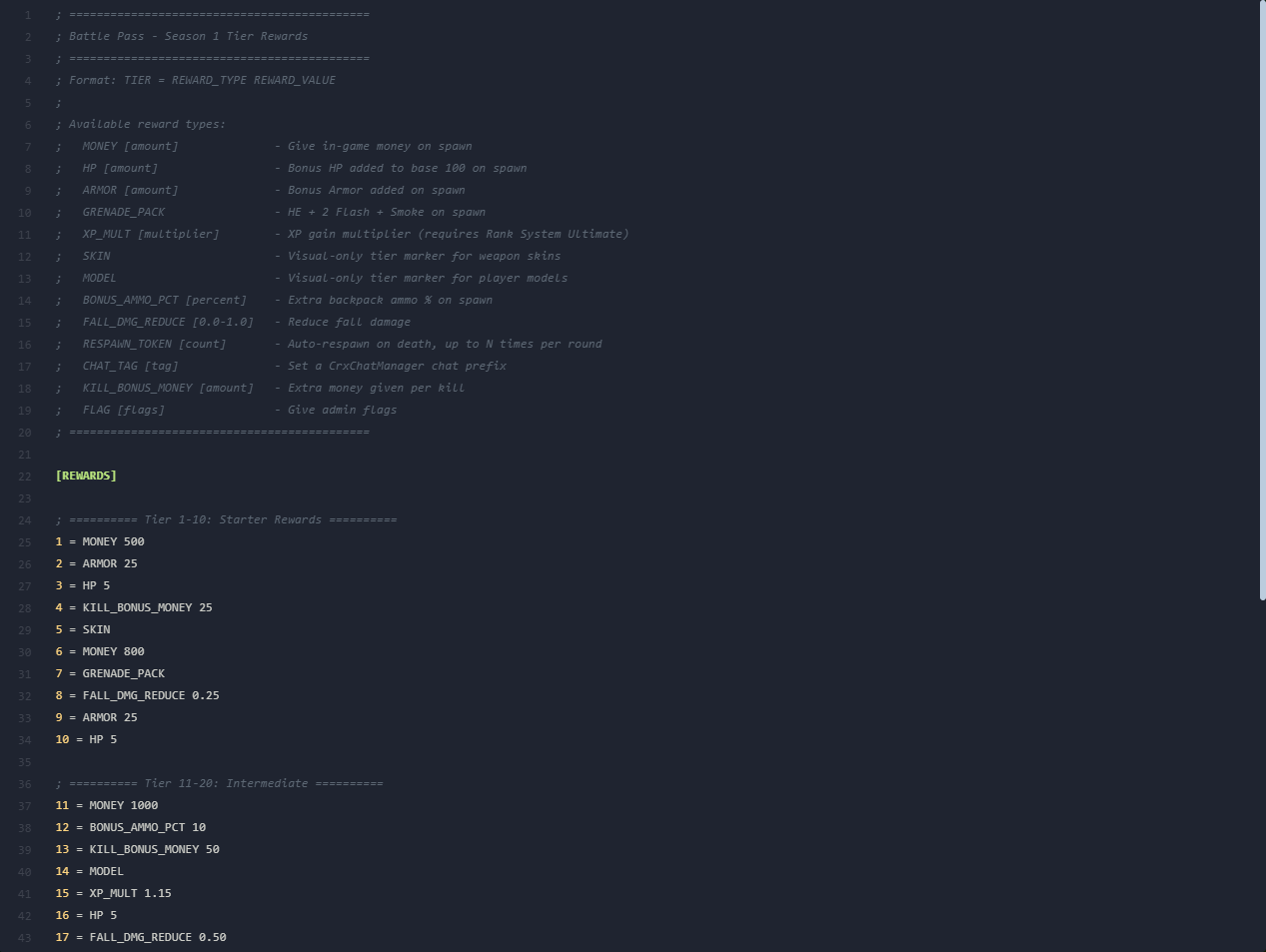
Mission Types
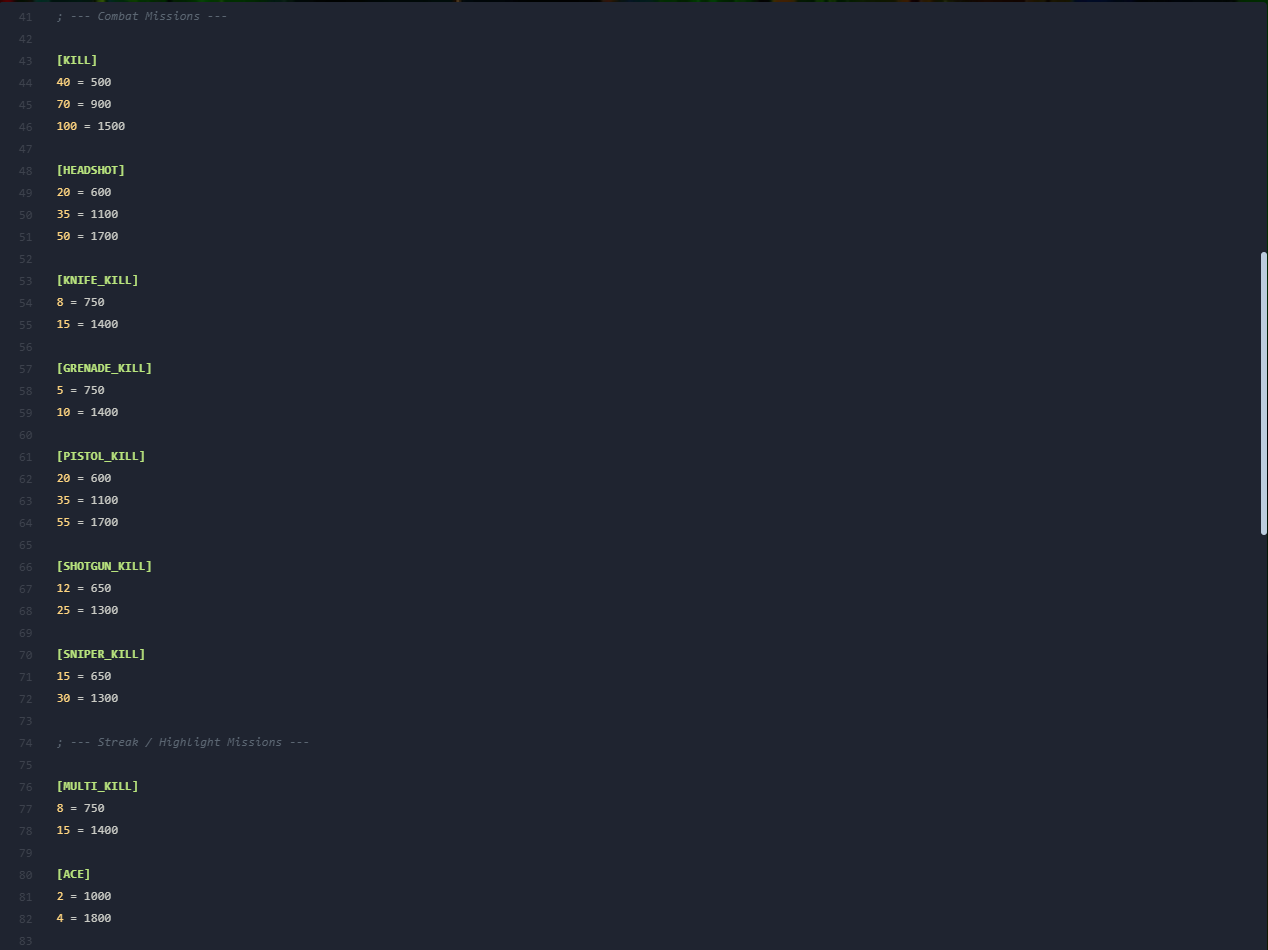
Missions are defined in daily_missions.ini and weekly_missions.ini inside each season folder. Format: [MISSION_TYPE] section header, then AMOUNT = XP_REWARD entries. The plugin randomly picks missions from the pool each day/week.
All 27 Mission Types
Mission descriptions are auto-generated from the section name and amount using the language file.
Admin Commands
Server console commands requiring ADMIN_RCON access.
Give XP
Gives the specified amount of XP to a player. The player may tier up multiple times if the XP is enough.
Set Tier
Directly sets a player's tier to the specified value. XP is reset to 0 within the new tier.
Reset Player
Completely resets a player's battle pass progress for the current season — tier, XP, and mission progress are all cleared.
Reset Missions
Resets the player's current daily and weekly missions and immediately generates a new set of random missions for them. Useful if a player gets stuck or if you want to provide a fresh set of challenges.
Sync Leaderboard Data
Forces a full re-sync of all existing player data from the main storage (nvault/SQLite) into the leaderboard SQLite database. Useful after migrating storage types or if the leaderboard appears incomplete.
Reset All Data
Erases all player data from the main storage (nvault/SQLite) and clears the leaderboard database. Connected players have their session data wiped as well. Use with caution — this action is irreversible.
API
The Battle Pass System includes a comprehensive API (battlepass.inc) with 13 natives and 3 forwards for cross-plugin integration. Include the library with #include <battlepass>.
Example Sub-Plugin
#include <amxmodx>
#include <battlepass>

public plugin_init() {
    register_plugin("BP Integration", "1.0", "Tornado_SW")
}

// Called when a player reaches a new tier
public bp_on_tier_up(id, new_tier) {
    new szName[32]
    get_user_name(id, szName, charsmax(szName))
    client_print_color(0, print_team_default, "^4[BP]^1 %s reached Tier %d!", szName, new_tier)
}

// Give bonus XP on knife kill
public client_death(killer, victim, wpnindex, hitplace, TK) {
    if (wpnindex == 29 && !TK) { // CSW_KNIFE
        bp_give_player_xp(killer, 50)
    }
}
Available Natives
View All 13 API Natives
Returns the player's current tier
Returns the player's current XP in current tier
Returns the player's current tier (1 to MAX_TIER).
Returns the player's current XP within the current tier.
Returns total XP earned this season across all tiers.
Sets a player's total XP to the specified amount. Recalculates the player's tier and current-tier XP automatically. Returns 1 on success, 0 on failure.
Gives XP to a player. Returns 1 on success, 0 on failure.
Sets a player's tier directly. Returns 1 on success, 0 on failure.
Returns the XP required for a specific tier.
Returns the current season number.
Returns the number of days remaining in the current season.
Checks if a player has reached a specific tier. Returns 1 or 0.
Checks if a player unlocked a tier in a specific season. Uses live data for the current season, saved nVault data for past seasons. The unlock persists forever. Pass season = 0 for the current season.
Returns the player's XP multiplier from rewards (1.0 = normal).
Returns the player's damage multiplier from rewards (1.0 = normal).
Forwards
Compatibility
The Battle Pass System is designed to integrate seamlessly with other Tornado AMXX plugins. When companion plugins are detected, additional reward types become available. If they are not installed, those reward types are automatically removed and tiers are remapped.
Rank System Ultimate
Enables XP multiplier rewards. Players can earn temporary or permanent XP boosts through the battle pass.
Weapons Skins Ultimate
Enables skin tier markers. Battle pass tiers can unlock visual skin indicators.
Player Models Pro
Enables model tier markers. Battle pass tiers can unlock visual model indicators.
CrxChatManager
Enables chat tag rewards. Players unlock and select persistent chat tags through progression.
Need Help?
If you need assistance with the Battle Pass System, feel free to reach out through any of these channels: